Stage Designer

Design USPSA stages to scale, right in your browser.

A faster, easier way to draw a stage, check it against the rulebook, walk it in 3D and hand the build crew everything they need. Share it with the club, your squad or anyone with a link.

Start designing — free → See how it works
Free account · no install · USPSA and IPSC targets · PDF export
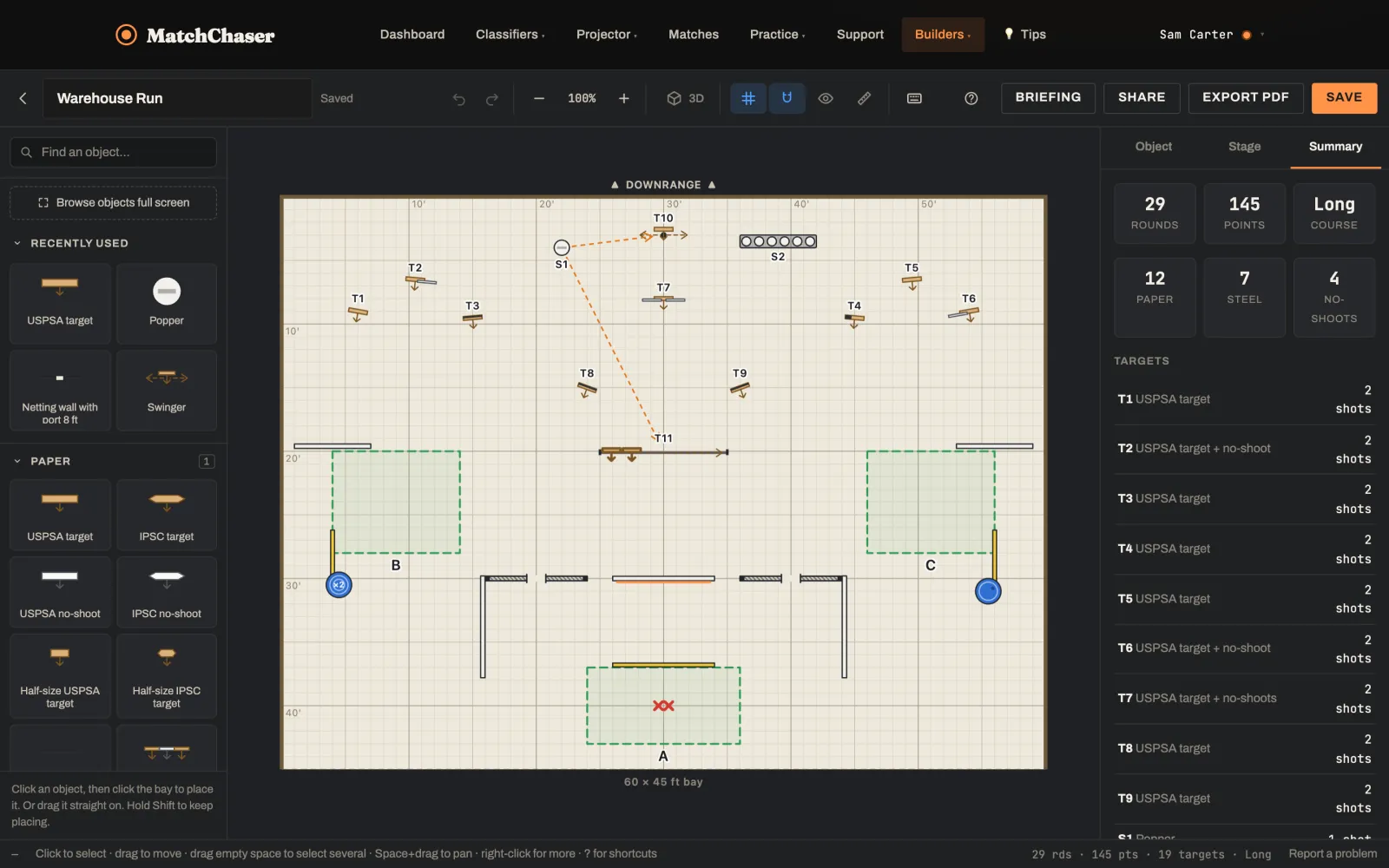
The MatchChaser Stage Designer editor: a 60 by 45 foot bay with walls, targets, steel and a mover, and the stage summary showing 29 rounds, 145 points, long course
“Warehouse Run”, a 29-round long course drawn in the Stage Designer.
How it works

From an empty bay to a match-ready stage.

Set the bay size, then build the stage the way you'd walk it: the bones first, then the targets, then the steel and the activators. Rounds, points and course length update as you go.

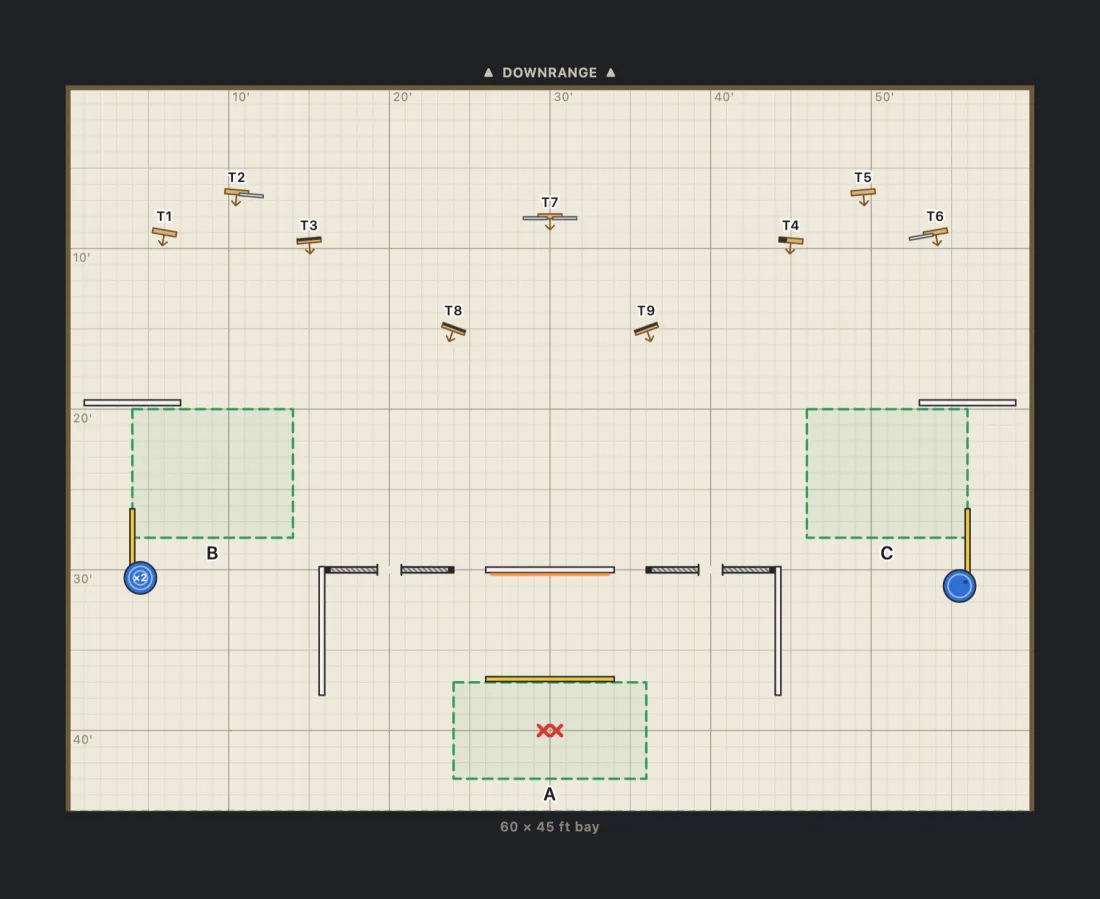
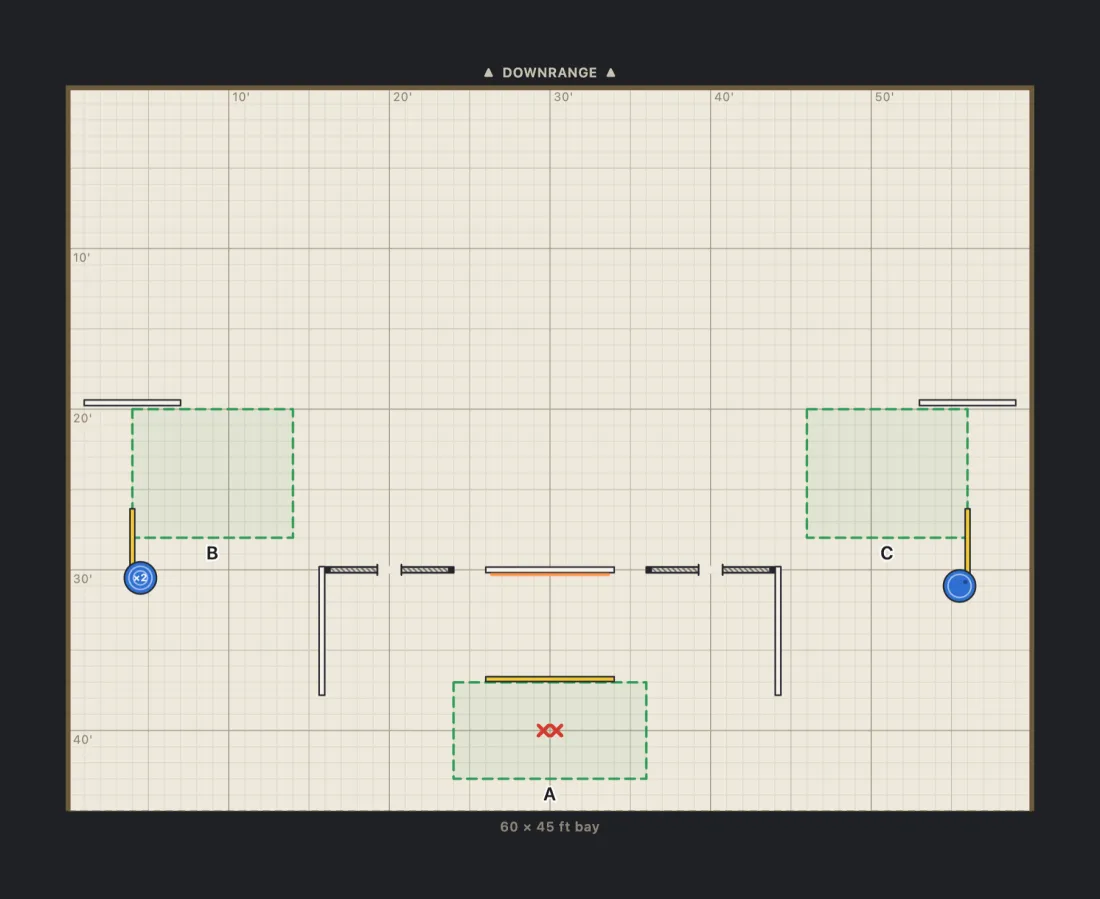
Step 1: a bay with shooting areas, a start position, netting walls with ports, side walls and barrels
STEP 1

Lay out the bay

Shooting areas, fault lines, the start position, walls with ports, barrels and props. Walls snap together end to end.

Step 2: paper targets added, with hard cover and no-shoots stapled over some of them
STEP 2

Place the paper

Targets and no-shoots, turned to face the shooter, with hard cover and stapled-on no-shoots where you want them.

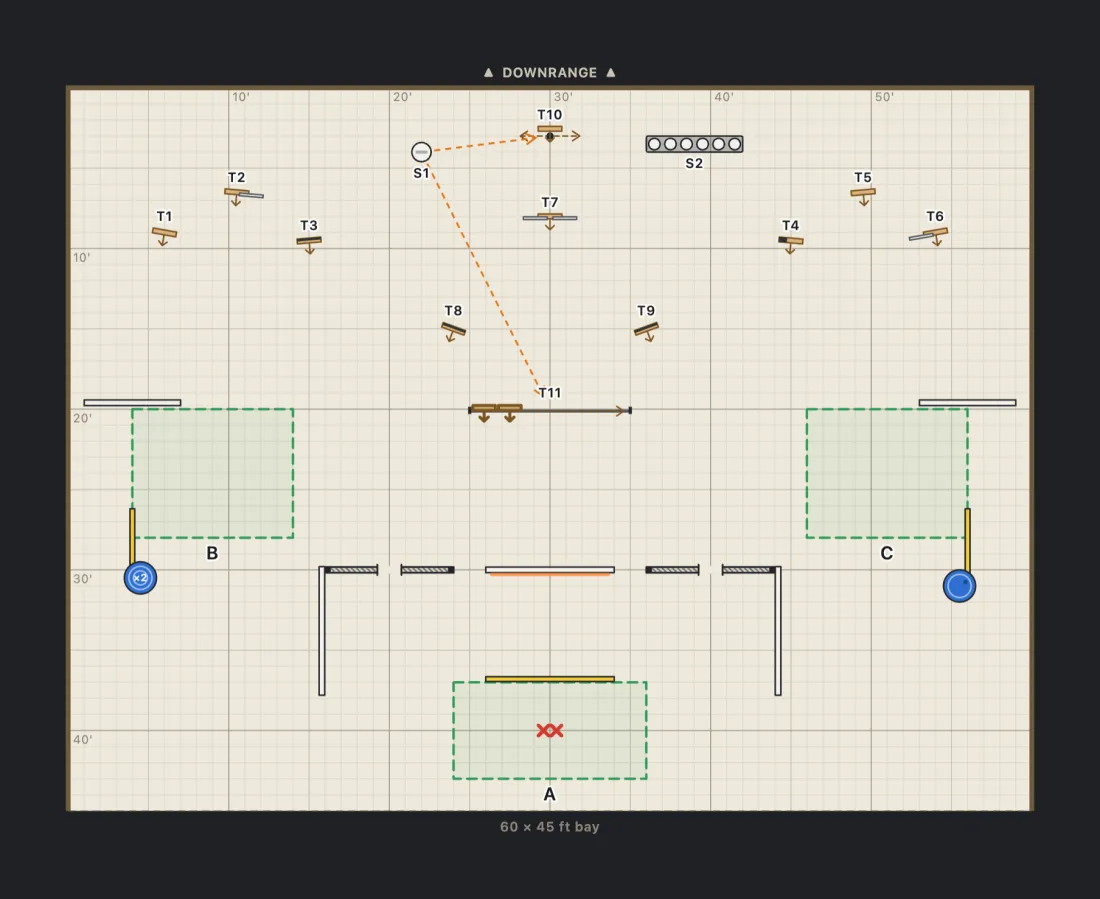
Step 3: the finished stage with a popper that starts a swinger and a mover, and a plate rack
STEP 3

Add steel and movement

Poppers, plates and moving targets, each linked to what starts it. The diagram draws the arrow for you.

What you can do

Everything a stage designer reaches for.

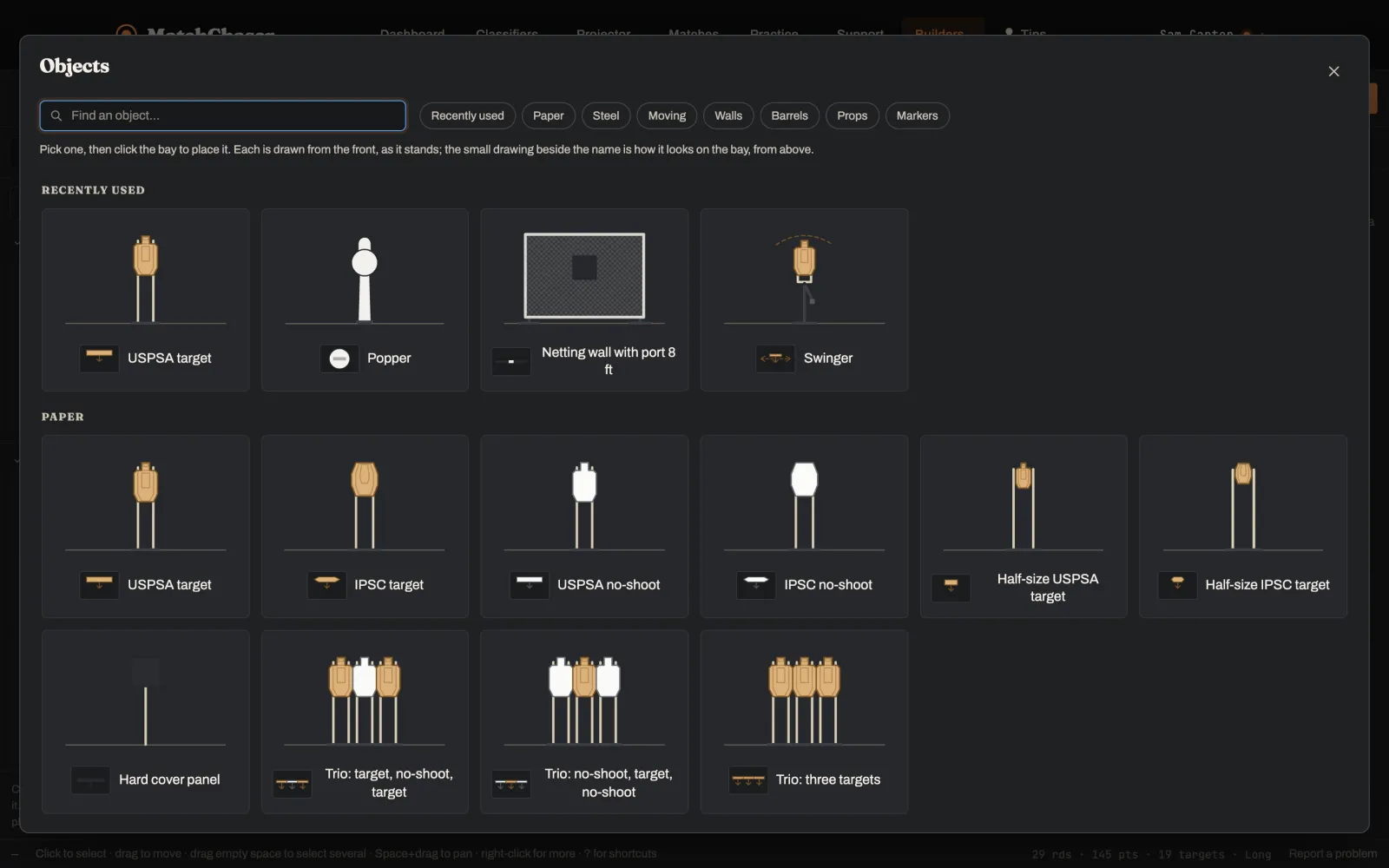
The full-screen object browser showing USPSA and IPSC targets, no-shoots, trios, a popper, a netting wall with a port and a swinger
The object list

Every prop a match director uses.

Pick from the list, or open it full screen to see each object drawn from the front, then click the bay to place it. Drag, turn and resize with the mouse or the keyboard.

  • USPSA and IPSC targets and no-shoots, full and half size
  • Poppers, plates, plate racks and Texas stars
  • Swingers, clamshells, drop turners, movers and windmills
  • Walls in netting, wire, lattice and slats, with ports of any shape
  • Barrels, tables, doors, tires, pallets and platforms
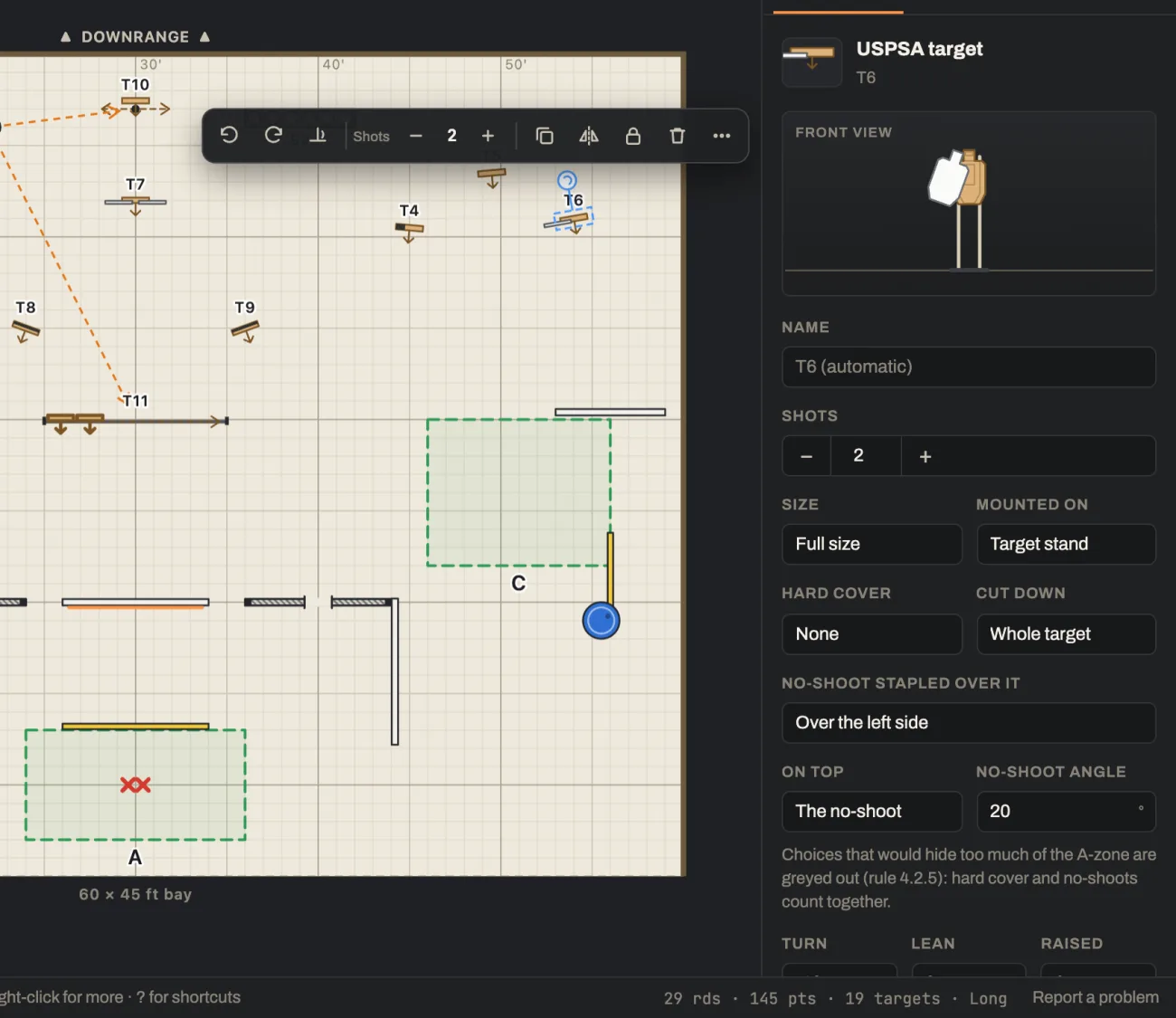
A selected target with its options: size, mount, hard cover, cut down, and a no-shoot stapled over the left side at a 20 degree angle
Rulebook-aware

Target options that follow the rules.

Choose the size, the stand, hard cover, cut-downs and no-shoots stapled over a target, at any angle. Options that would hide too much of the A-zone are greyed out before you can pick them.

  • Official target sizes and steel specifications
  • The A-zone rule checked for hard cover and no-shoots together
  • Warnings for mixed target types and unreachable targets
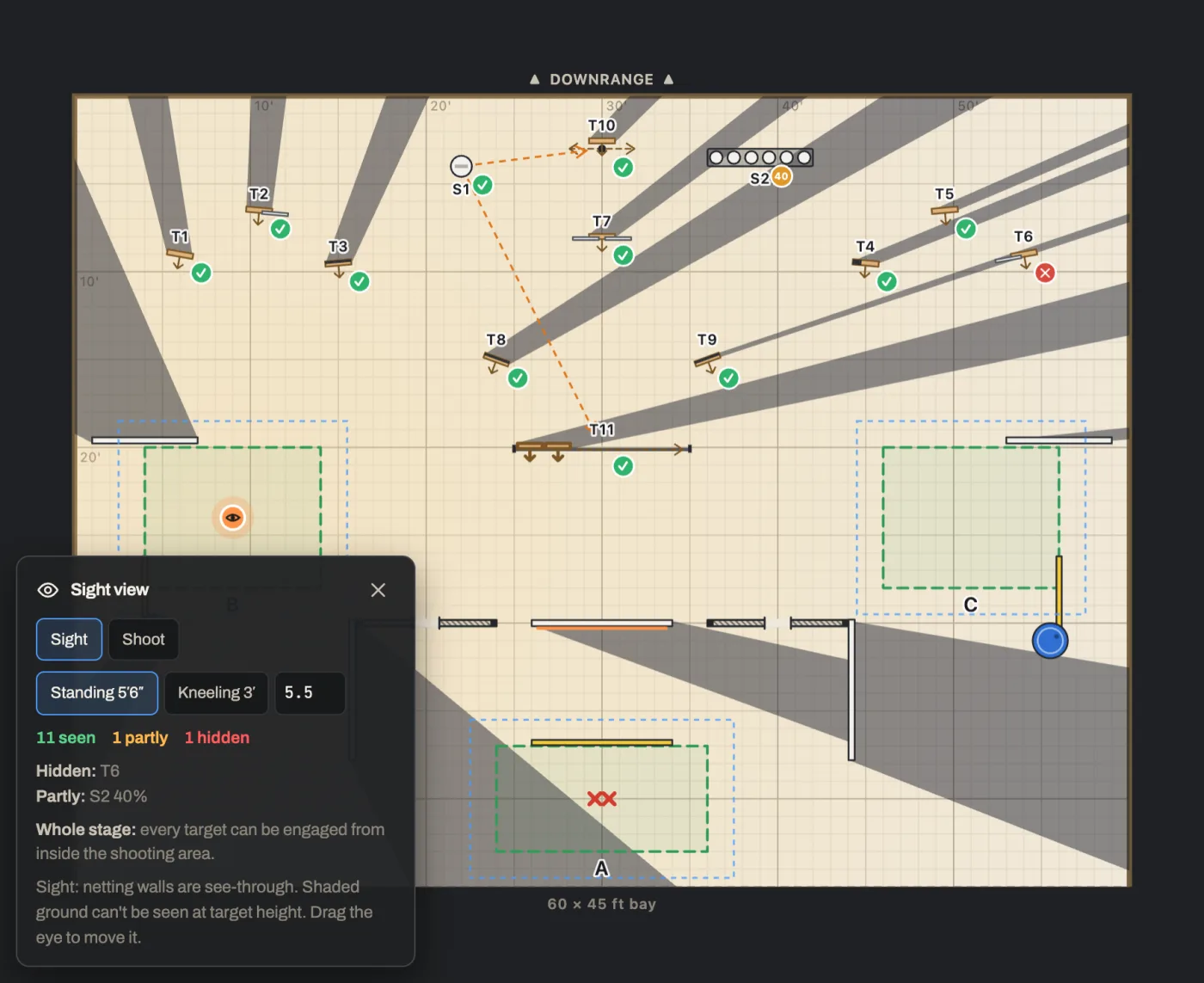
Sight view from shooting area B: shaded areas show what the shooter can't see, with each target marked seen, partly seen or hidden
Sight view

See exactly what the shooter sees.

Drop the eye anywhere on the bay, standing or kneeling. Shading shows what's hidden, and every target is marked seen, partly seen or hidden. Switch to Shoot to see what can actually be engaged: you can see through netting, but not shoot through it.

A whole-stage check flags any target that can't be engaged from any shooting area, and the ones that need a lean, so you can make sure the shot is clean.

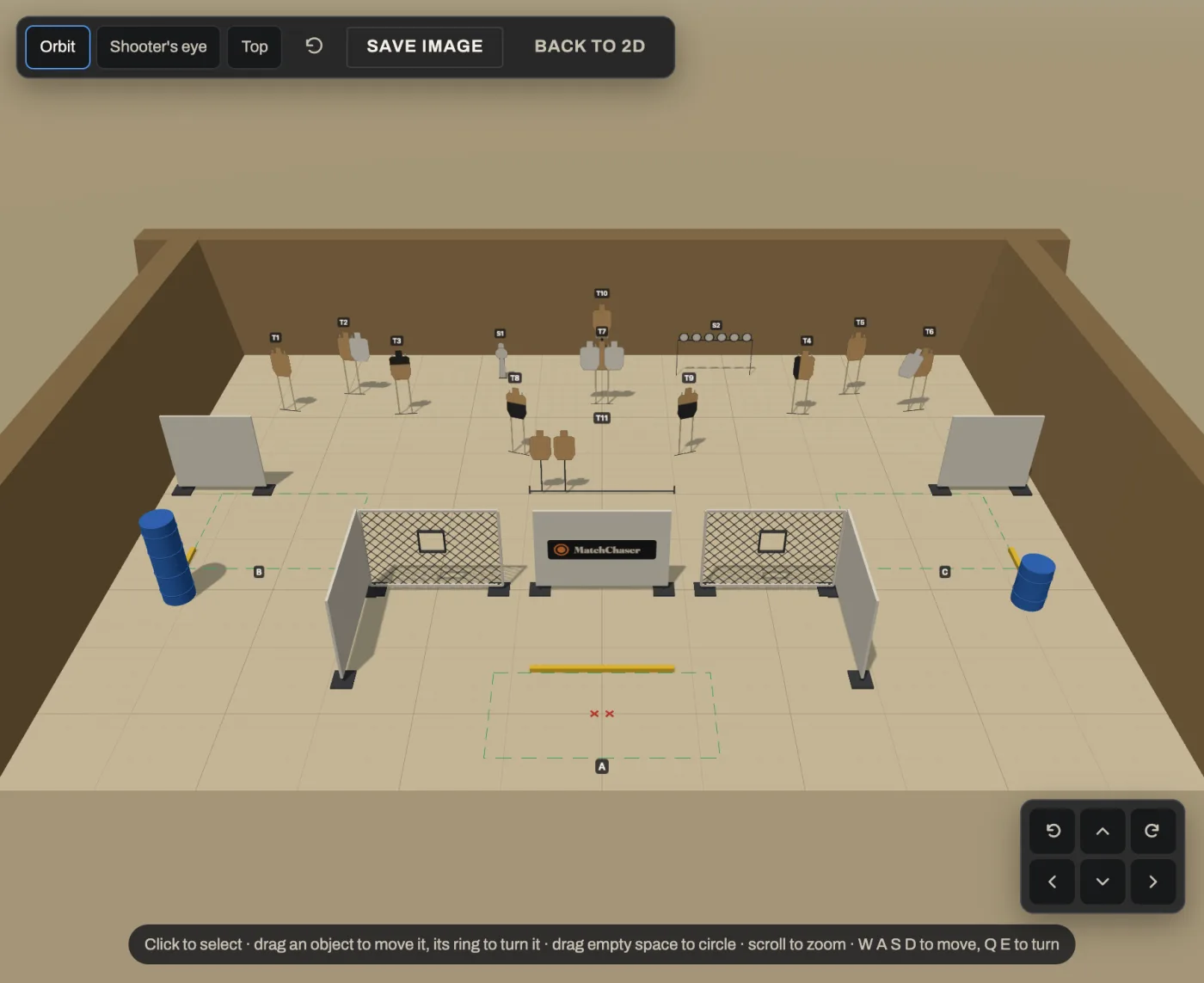
The stage in 3D from above and behind the start position, with walls, targets on stands, steel and barrels
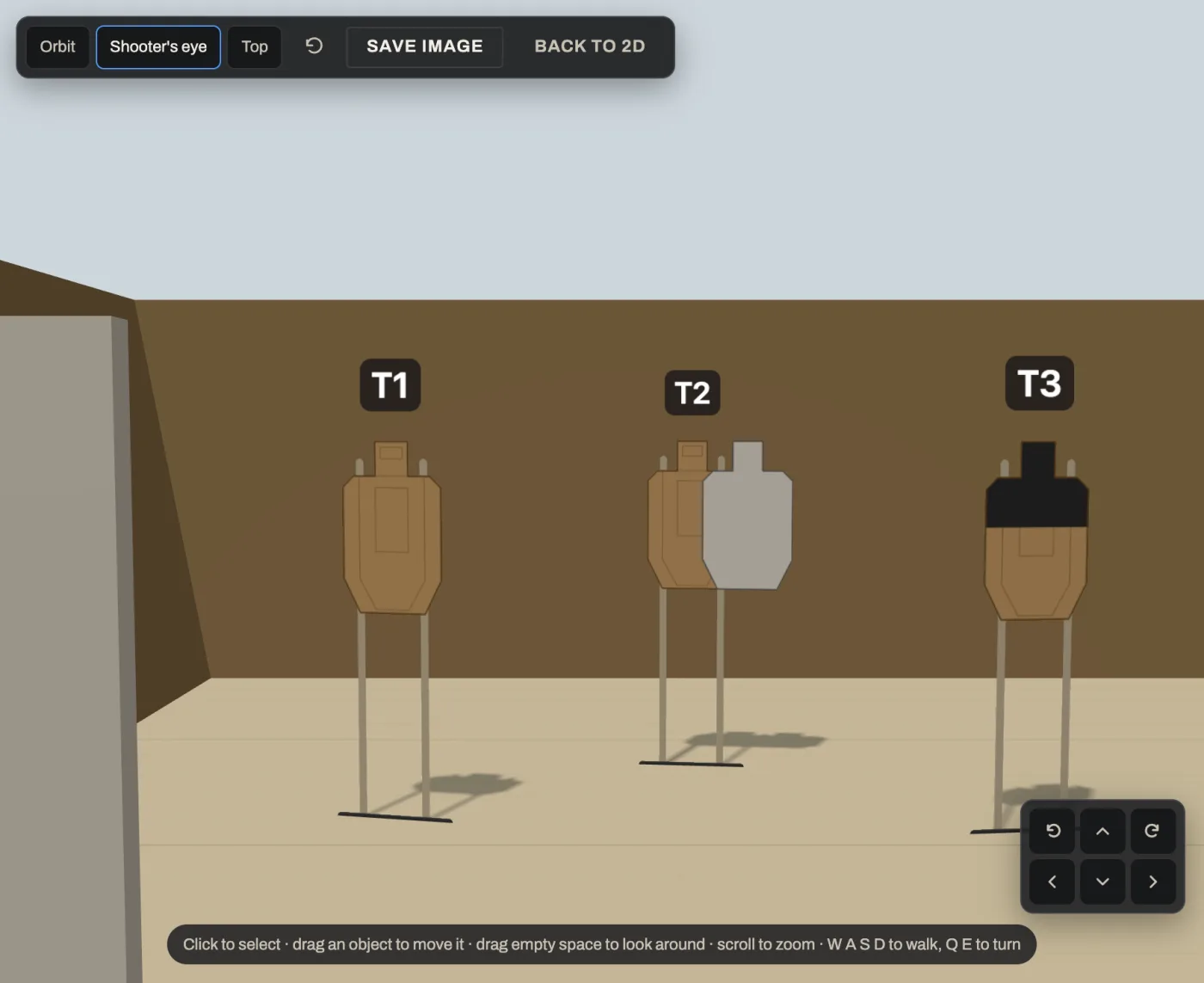
The 3D view at shooter's eye height from shooting area B, looking at three targets, one with hard cover and one with a no-shoot
3D view

Walk the stage before anyone builds it.

Open the 3D view to orbit the whole bay, look straight down, or stand at shooter's eye height and walk through it with W, A, S and D. Find the awkward lean or the blocked target now, not on build day.

You can edit in 3D too: select, move, turn and place objects without going back to the diagram. Save any view as an image.

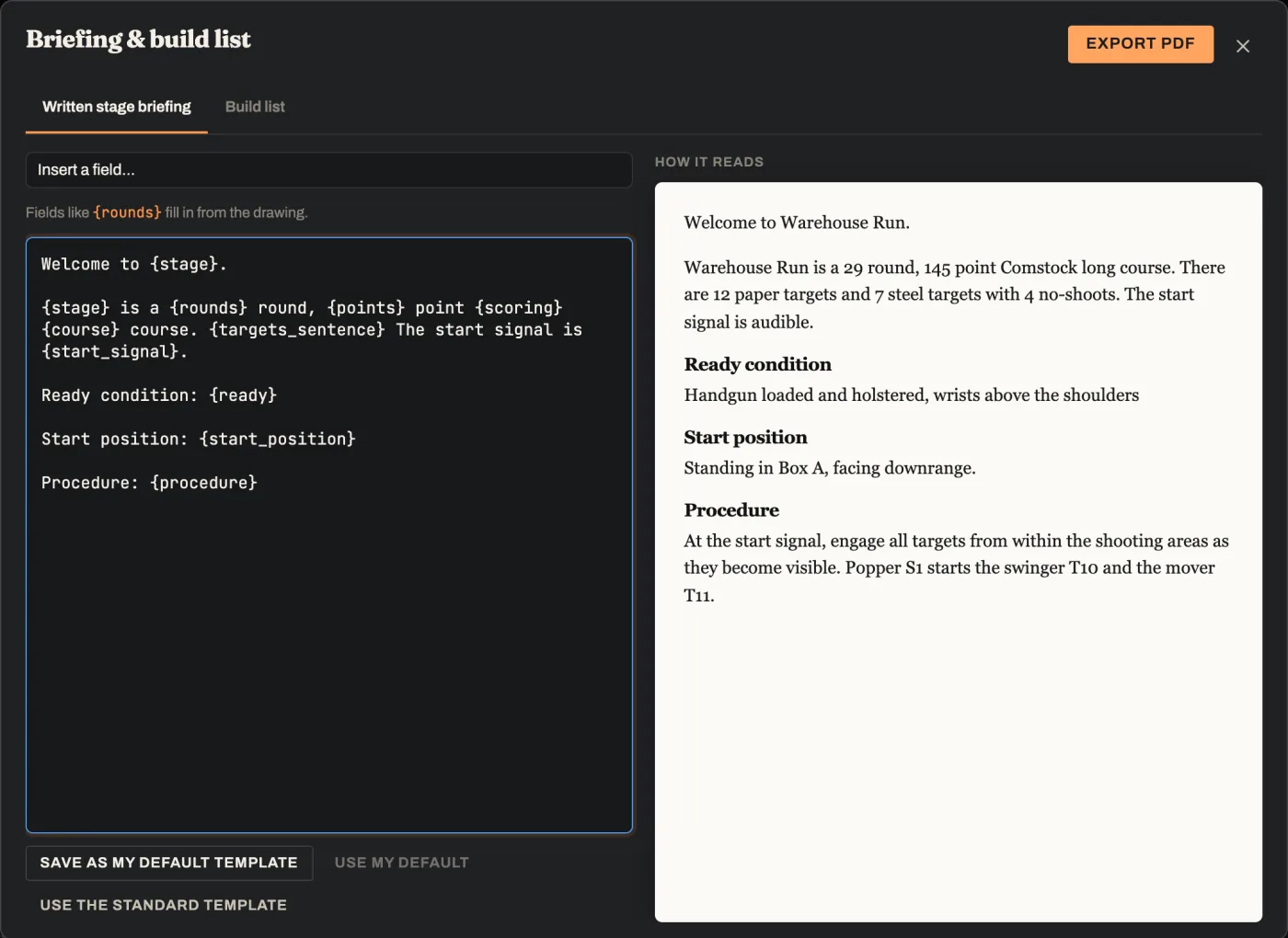
The written stage briefing editor: a template on the left, and on the right the finished briefing with round count, ready condition, start position and procedure
Written stage briefing

A briefing that writes itself.

The briefing template fills in from the drawing: the round count, points, scoring, course length, the targets and the start signal. Write your ready condition, start position and procedure once, save them as your defaults, and every new stage starts with your wording.

Change the stage and the briefing keeps up. No more round counts that don't match the diagram.

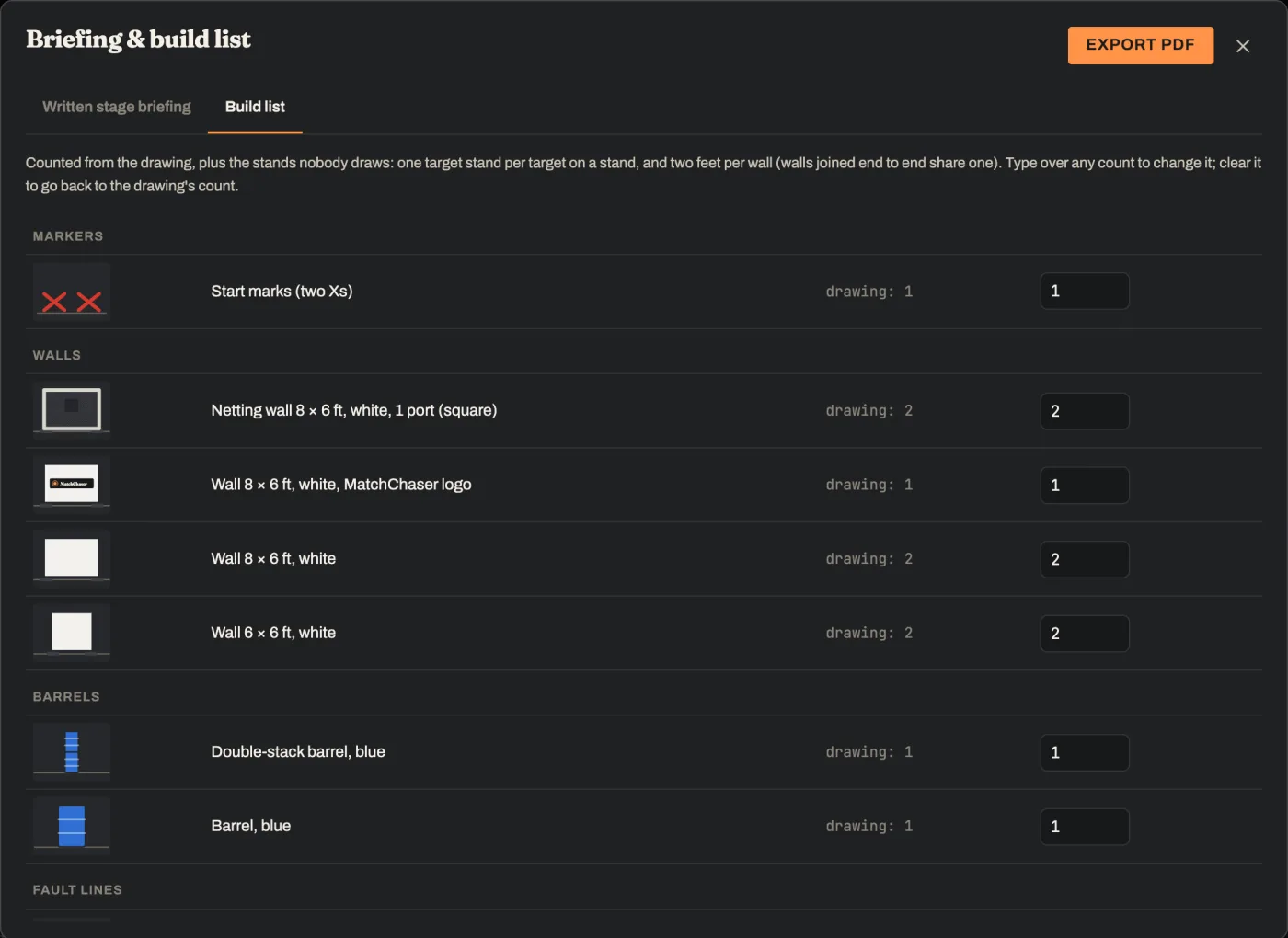
The build list: start marks, netting walls with ports, a MatchChaser logo wall, plain walls and barrels, each with a count
Build list

Your build crew knows what to load.

Every target, stand, wall, barrel and prop, counted from the drawing, plus the hardware nobody draws: one stand per target, and two feet per wall, with joined walls sharing one. Override any count and add your own lines, like a staple gun or zip ties.

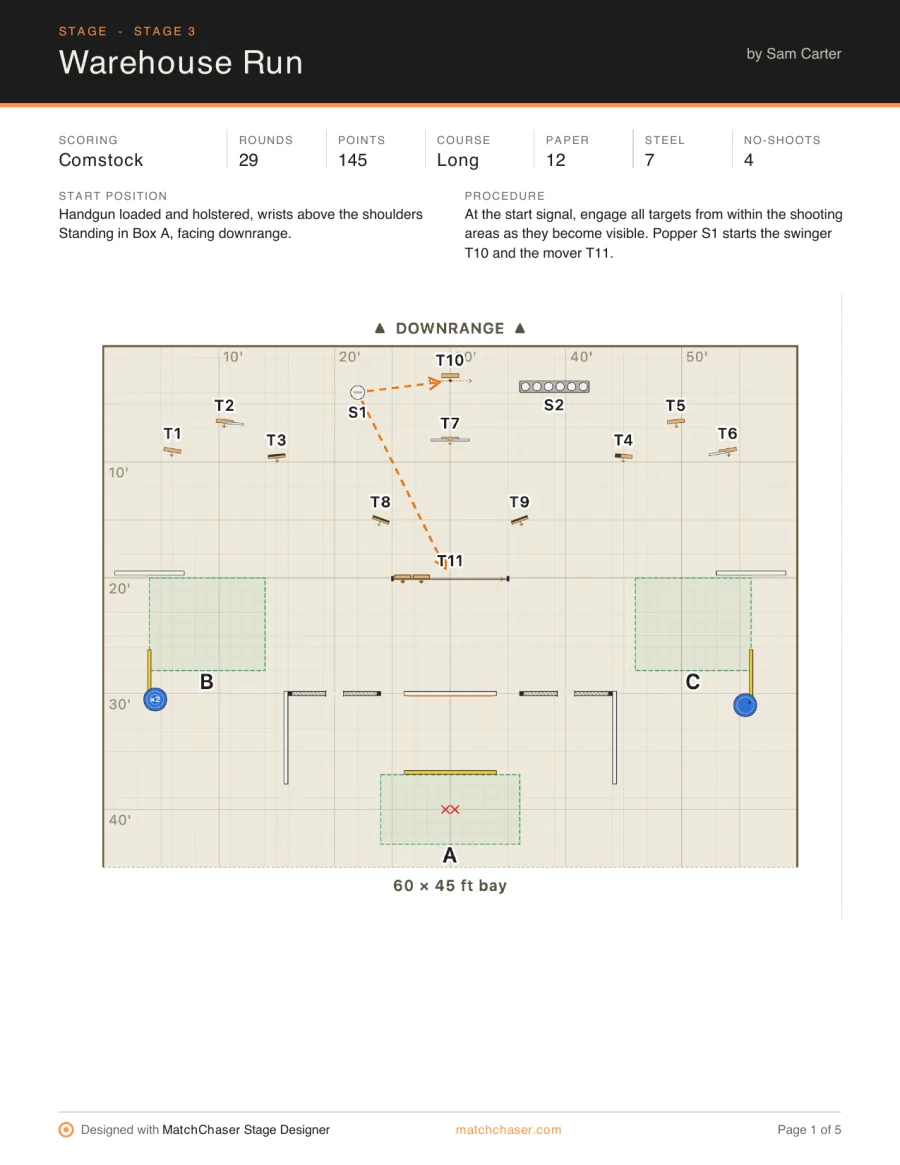
Page 1 of the exported PDF: the stage diagram with scoring, rounds, points, course and target counts
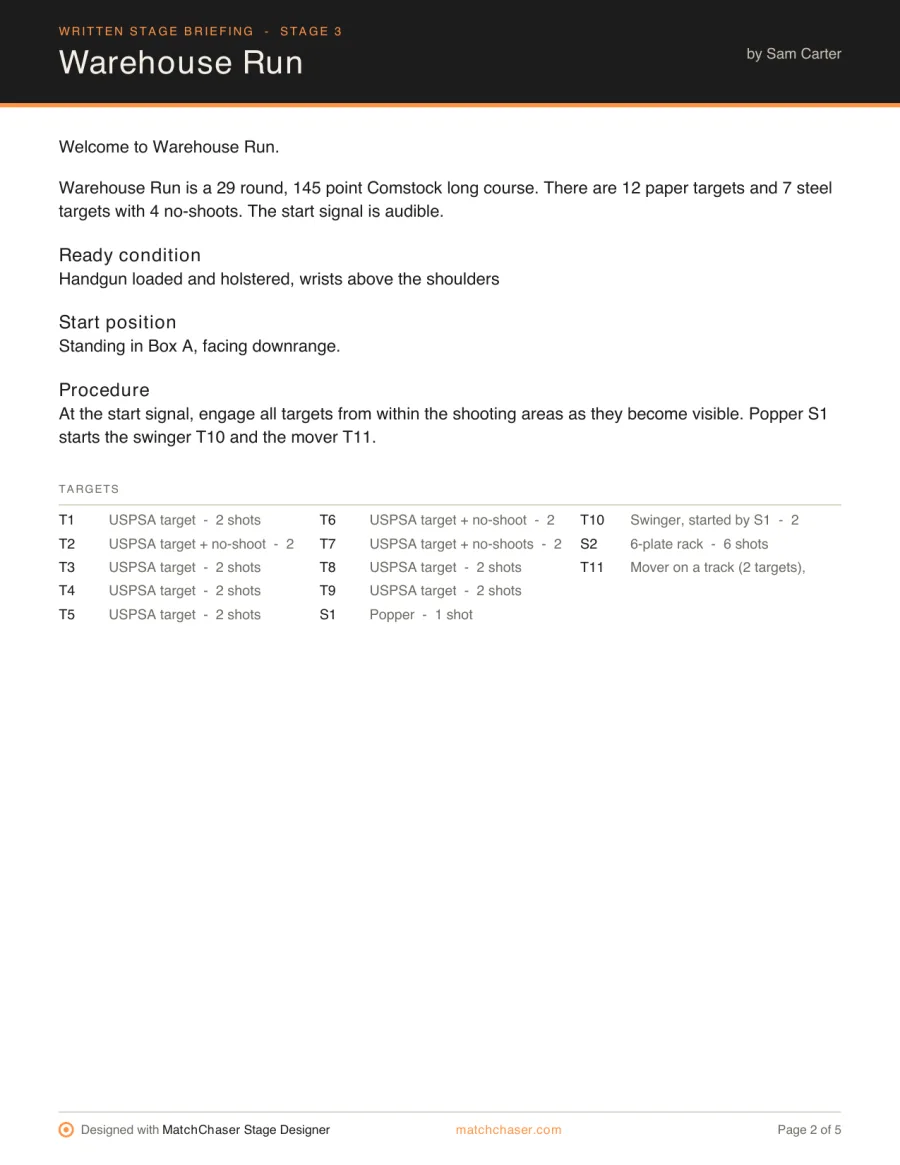
Page 2 of the exported PDF: the written stage briefing and the list of targets with their shots
PDF export

Print it for the match book.

One click makes a clean PDF: the diagram with its numbers, the written stage briefing, and the build list with a picture of every item. Print it for the stage, post it for the squads, or send it to the build crew.

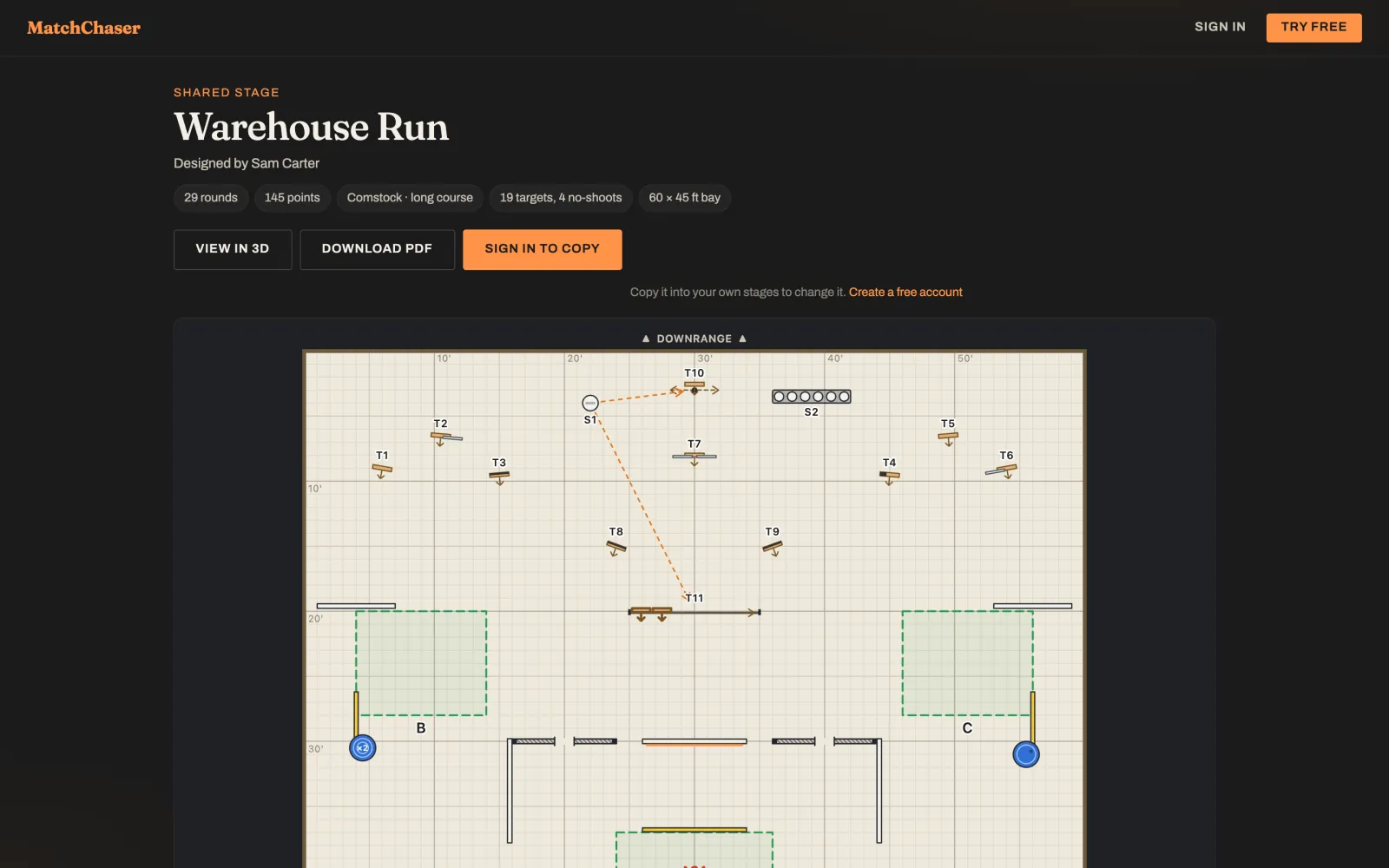
A shared stage opened from a link without an account: the stage name, designer, facts, and buttons to view in 3D, download the PDF or sign in to copy
Share and library

Share it with anyone.

Make a view-only link and send it to your match director, your squad or a friend. They see the diagram, the briefing, the build list and the 3D view, and can download the PDF, without an account. The link always shows your latest save.

Post your best stages to the Stage library, where other members can find them and copy them into their own designs.

Who it's for

Built for the people who build the match.

Match directors

Plan every bay, keep round counts in check, and hand out one PDF per stage.

Stage designers

Try ideas quickly, check the sight lines, and walk the stage in 3D before it's built.

Build crews

Know exactly what to load: targets, stands, walls, wall feet, barrels and props.

Clubs

Pair it with Stage Builders, our free build-day scheduler: your builders design the stage, then sign up to build it.

The full list

Everything in the Stage Designer today.

We're adding to it every week. If there's an object or a tool you need, tell us from the designer and we'll look at it.

Questions

Before you start.

Is the Stage Designer free?
Yes. Anyone with a free MatchChaser account can design stages, check them, view them in 3D and export the PDF. A free account keeps 2 saved stages; members keep 50. You can always draw a stage and export the PDF without saving it.
Does it follow the USPSA rulebook?
Target options follow the USPSA Competition Rules: official target sizes, hard cover and cut-downs limited by the A-zone rule, no-shoots in one plain colour, and steel colours the rules allow. The Summary also warns you about mixing USPSA and IPSC targets and about targets that can't be engaged from any shooting area. It helps you design a legal stage; your match staff still make the call on the day.
Can I use IPSC targets?
Yes. IPSC targets and no-shoots are in the object list alongside the USPSA ones, with the same hard cover and size options.
What does the PDF include?
The stage diagram with its round count, points and course length; a written stage briefing filled in from your drawing; and a build list that counts every target, stand, wall, wall foot, barrel and prop — so the build crew knows what to load before they get to the bay.
Do the people I share a stage with need an account?
No. A share link is view-only and works for anyone: the diagram, the briefing, the build list, the PDF and the 3D view. They only need a free account if they want to copy the stage into their own designs.
Can I start from someone else's stage?
Yes. Members post stages to the Stage library, and anyone signed in can copy one into their own stages and change it. A shared stage can be copied the same way.
What do I need to run it?
A modern web browser. It works best on a computer with a mouse and keyboard, since you're placing and turning objects precisely; nothing to install.
Is MatchChaser affiliated with USPSA?
No. MatchChaser is an independent tool built by a USPSA member. It isn't affiliated with, endorsed by or sponsored by USPSA, IPSC or PractiScore.
Draw your next stage tonight.

Create a free MatchChaser account and open the Stage Designer. Your first stage is a few minutes away.

Start designing — free → Create a free account
Free accounts keep 2 saved stages · members keep 50 · about membership